一句话概览

✅Hermes Agent v0.17.0 已支持通过 Photon 收发 iMessage。
✅按照步骤操作3分钟搞定!
✅不需要准备常驻 Mac,也不需要配置公网地址。完成设置后,直接用 iPhone 的「信息」App 给 Photon 分配的号码发消息,就能与 Hermes Agent 对话。
⭕重磅!Hermes Agent v0.17.0 正式发布 ! Hermes 进一步拓展了多端连接、异步协作与跨网络集成能力,升级为全功能指挥中心。 以下为核心更新摘要 1. 独立支持 iMessage - 无需 Mac 中继或 BlueBubbles 设置。 - 运行 hermes photon login 即可通过 Photon 直连收发 iMessage。
📋 准备条件
开始前需要:
已安装最新版 Hermes Agent
Node.js 18.17 或更高版本
一个能够接收 iMessage 的手机号
一个 Photon 账号,没有的话可以在配置过程中注册
先检查 Node.js 版本:
node --version
🔑 第一步:配置 Photon
可以通过 Hermes Gateway 的统一向导配置:
hermes gateway setup
在向导中选择 Photon iMessage。
也可以直接运行 Photon 配置命令:
hermes photon setup --phone +你的手机号
手机号必须使用国际格式。中国大陆手机号示例:
hermes photon setup --phone +8613800000000
命令运行后,终端会显示设备授权地址和验证码。按照提示打开 Photon Dashboard,登录并批准设备。
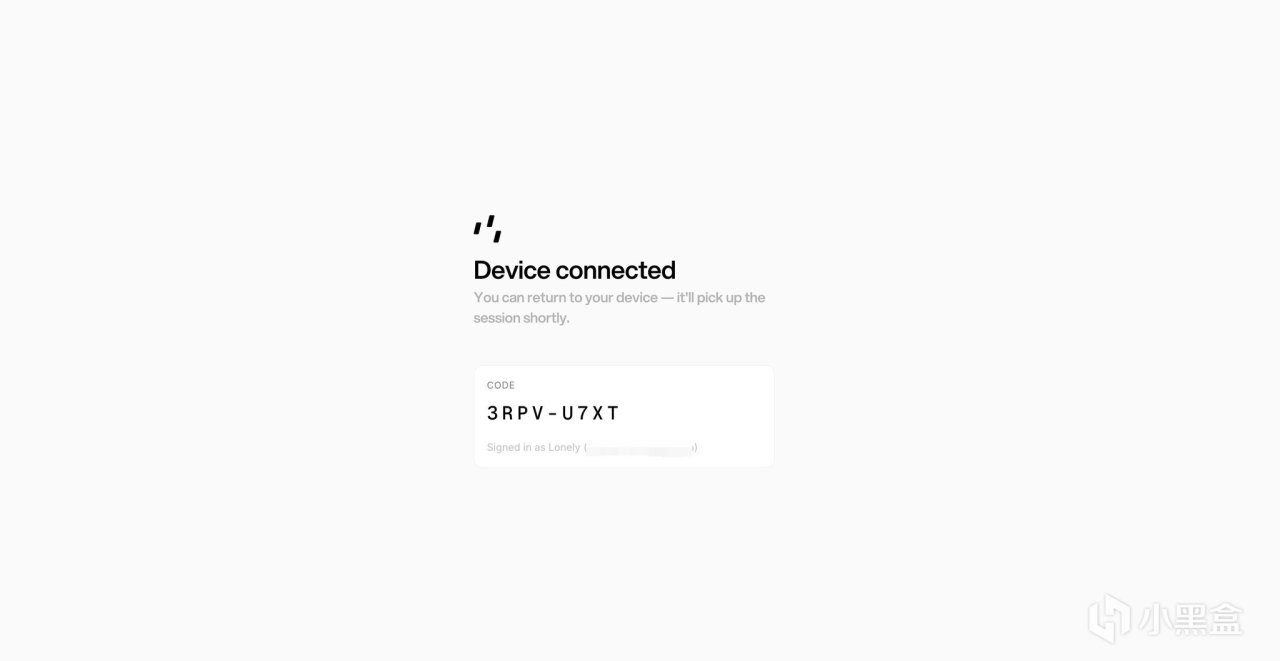
页面显示 Device connected 后,回到终端等待配置继续执行。
Hermes 会自动完成 Photon 项目创建、手机号注册、依赖安装和授权配置。成功后会显示:
✓ phone registered
✓ allowlisted your number (PHOTON_ALLOWED_USERS)
┌─ Your agent's iMessage number ───────────────────────────────
│ 📱 +16xxxxxxxxx // 🔥提供一个号码,保存好
│ Text this number from your phone to talk to your agent.
└──────────────────────────────────────────────────────────────
✓ Photon setup complete.
请记下终端显示的 iMessage 号码。
安装依赖时可能出现 npm audit 的 vulnerabilities 提示。只要最后显示 Photon setup complete,就代表配置成功。
不要运行 npm audit fix –force,它可能升级并破坏 sidecar 所需的依赖版本。
▶ 第二步:启动 Gateway
首次启动可以运行:
hermes gateway start --platform photon
如果 Gateway 已经在运行,重启即可:
hermes gateway restart
🔍 第三步:检查连接状态
检查 Photon:
hermes photon status
重点确认以下项目正常:
device token : ✓ stored
project secret : ✓ stored
assigned number : +1...
sidecar deps : ✓ installed
再检查 Gateway:
hermes gateway status
看到下面的提示,说明 Gateway 正在运行:
✓ System gateway service is running
💬 第四步:发送 iMessage
打开 iPhone 的「信息」App,新建 iMessage,将收件人填写为 Photon 分配的号码,然后发送一条消息:
你好,介绍一下你自己
Hermes Agent 正常回复,就代表接入完成。
hermes photon setup 会自动把配置时填写的手机号加入允许名单。其他号码首次发送消息时,可能需要进行配对。
查看待批准的配对请求:
hermes pairing list
批准配对:
hermes pairing approve photon <配对码>
✅Hermes Agent iMessage安排上了。 实测响应速度比 ******** 快,更丝滑 另外,不需要就可以随时沟通,爽歪歪 Good Job!
👥 Photon 后台与免费额度
登录 Photon Dashboard 后,进入 Spectrum → Users,可以查看当前用户、绑定的手机号以及分配的 iMessage 号码。
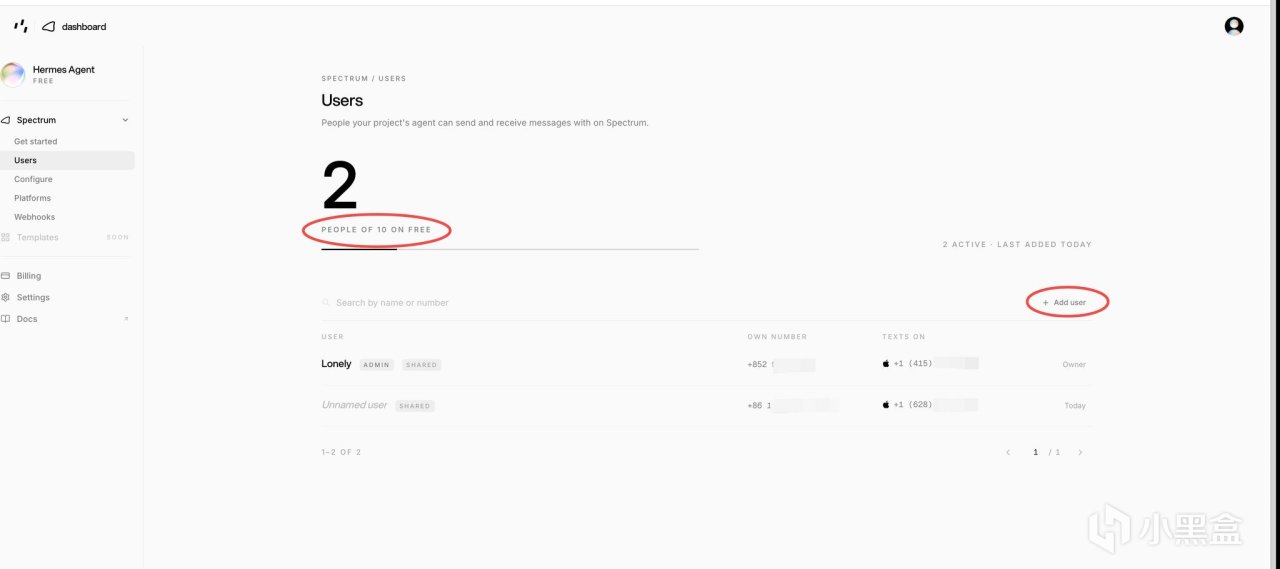
免费版每个项目最多添加 10 个用户。需要让其他人使用时,点击 Add user,填写对方的手机号即可。
Photon 使用共享 iMessage 线路池,因此不同用户在 Texts on 一栏中看到的收件号码可能不同,这是正常现象。
免费版目前还有以下额度:
每个 server 每天最多处理 5000 条消息
每条共享线路每天最多发起 50 次新对话
日常个人使用通常足够。额度或线路需求更高时,需要联系 Photon 升级方案。
❓ 常见问题
Photon 依赖没有安装
如果 hermes photon status 显示 sidecar deps 缺失,运行:
hermes photon install-sidecar
hermes gateway restart
Device token 缺失
如果状态中显示 device token 缺失,重新运行配置并完成登录:
hermes photon setup --phone +你的手机号
没有分配 iMessage 号码
如果 Photon Dashboard 显示 No iMessage line assigned yet,重新运行:
hermes photon setup --phone +你的手机号
完成后再次检查:
hermes photon status
Gateway 服务定义过期
升级 Hermes 后如果看到:
Installed gateway service definition is outdated
运行:
sudo hermes gateway restart --system
发消息没有回复
依次检查:
hermes photon status
hermes gateway status
hermes logs gateway
确认 Photon 已连接、sidecar 已启动、Gateway 正在运行,并检查发送消息的手机号是否已被允许或完成配对。
📚 写在最后
如果这篇对你有帮助,关注 + 收藏 + 转发走一个呗 👏
关注 励志man,会持续更新新手向的教程和 AI 工具用得上的心得。
更多游戏资讯请关注:电玩帮游戏资讯专区
电玩帮图文攻略 www.vgover.com