2026年4月,OpenAI正式全量推送新一代圖像生成模型ChatGPT Images 2.0(下稱GPT-image-2),徹底取代DALL-E 3成爲核心生圖工具。這款模型在中文渲染、真實感、編輯精度等方面實現跨越式升級,讓普通用戶也能輕鬆生成商用級圖像。本文整理了一份完整使用教程,從基礎入門到進階技巧、常見問題全覆蓋,助力大家快速上手這款AI生產力工具。
一、先搞懂:GPT-image-2 到底強在哪?
作爲OpenAI的旗艦圖像模型,GPT-image-2的發佈標誌着AI生圖正式進入“生產可用”時代。相較於上一代模型,它的核心突破集中在6個方面,徹底解決了以往AI生圖的痛點。
1.1 核心能力升級,告別“AI味”
中文渲染近乎完美:非拉丁語系(中文、日文、韓文等)字級準確率接近99%,海報、試卷、UI界面中的文字清晰可讀,徹底擺脫以往亂碼、拼寫錯誤的困擾。
具備“思考”能力:Plus/Pro用戶可解鎖“ImageGen 2.0 Thinking”模式,生圖前會先進行邏輯拆解、聯網獲取實時信息,生成的圖像更貼合真實需求,還支持一鍵生成8張連貫圖片。
照片級真實感:光影、紋理、人臉及手部結構還原度極高,AI生成的痕跡大幅消退,第一眼難辨是照片還是AI創作。
懂真實世界:能精準還原品牌細節、軟件界面邏輯、手錶時間等,不再是單純拼湊像素,而是真正理解事物的形態與規律。
精準局部編輯:可對畫面特定區域進行定點修改,無需因一個小瑕疵廢棄整張圖片,大幅提升創作效率。
高分辨率+自由比例:原生支持最高4096×4096分辨率,可靈活設置1:3至3:1的極端長寬比,適配移動端長圖、超寬橫幅等各類場景。
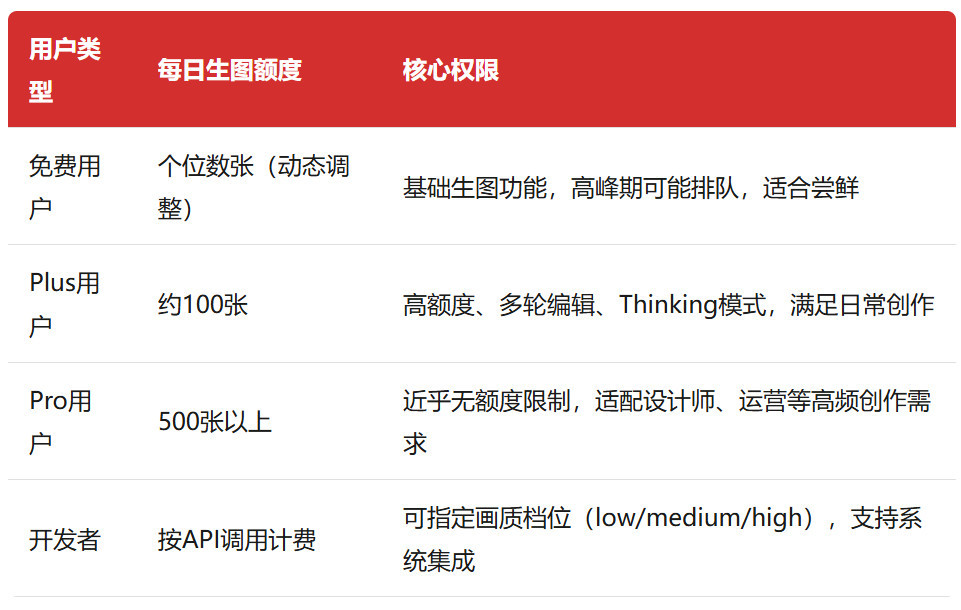
1.2 不同用戶額度與權限對照
GPT-image-2對所有ChatGPT用戶開放,不同套餐的額度和權限差異明顯,大家可根據自身需求選擇:
二、4步上手:小白也能輕鬆生成高質量圖片
GPT-image-2的操作非常簡潔,無論是網頁端還是APP端,只需4步就能完成生圖,免費用戶也能直接操作。
步驟1:登錄ChatGPT官方平臺
打開瀏覽器或ChatGPT官方APP,訪問官網地址:https://chatgpt.com,登錄自己的ChatGPT賬號(無賬號可先註冊,免費賬號即可體驗基礎功能)。
步驟2:找到圖像生成入口
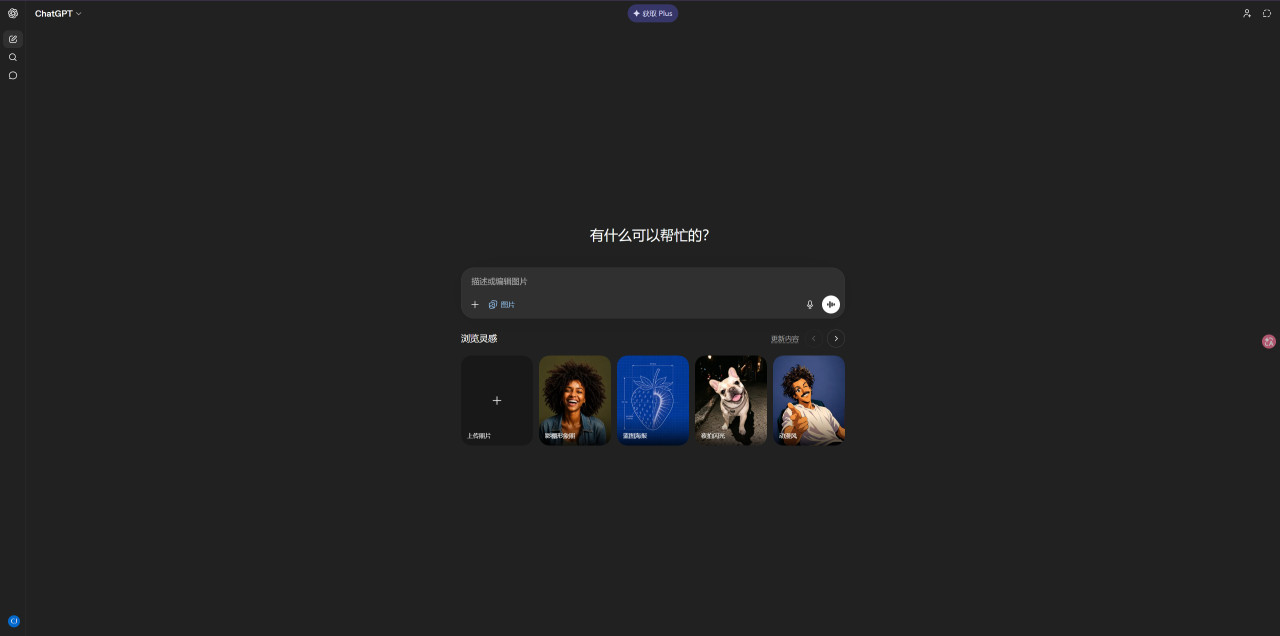
進入對話界面後,點擊輸入框左側的「+」號,在彈出的菜單中選擇「創建圖片」,此時系統會默認調用GPT-image-2模型,無需額外觸發。
步驟3:輸入提示詞,一鍵生成
根據自己的需求,清晰描述畫面細節(提示詞編寫技巧見下文),輸入完成後點擊發送,等待1-3秒即可生成圖片。如果是複雜場景,建議Plus/Pro用戶開啓Thinking模式,生成效果更精準。
步驟4:編輯優化,按需調整
點擊生成的圖片,進入編輯面板,可根據需求進行多項操作:調整寬高比(支持1:1、9:16、16:9等常用比例)、對局部區域進行修改、重新生成圖片,完成後可直接下載或分享。
三、關鍵技巧:提示詞寫對,生圖效率翻倍
提示詞是影響生圖效果的核心,很多人覺得生圖不好看,本質是提示詞不夠具體。掌握以下技巧,就能輕鬆生成符合預期的圖片,甚至直接複用現成提示詞。
3.1 通用提示詞黃金公式
記住這個公式,無論什麼場景都適用:版式+主體+場景+風格+光線+鏡頭+文字約束+用途
示例:9:16豎版,抖音直播截圖,劉亦菲直播,手持牌子寫“今晚直播,歡迎來參與活動喲”,真實直播界面,文字清晰無錯亂,光線自然。
3.2 6條高效提示詞技巧
先說版式,再說內容:先明確豎版/橫版/A3/信息圖等版式,生圖結構會更穩定,避免出現比例錯亂。
用具體風格參考,拒絕模糊描述:用“柯達Portra 400”“高端雜誌排版”“吉卜力風格”等具體詞彙,比“好看”“高級”“有質感”更有效。
中文文字“寫死”:關鍵文字用引號標出,同時指定字體(如宋體、楷體、黑體),避免AI自行編造文字。
聲明留白與層級:在提示詞中加入“留白合理、信息主次清晰”,排版會更專業,避免畫面雜亂。
用鏡頭/光圈控制景深:比如“50mm鏡頭f/2.8”“中畫幅相機拍攝”,AI會根據物理光學原理生成自然的焦外虛化效果。
分步驟迭代優化:第一張圖生成後,不用推倒重來,用“在此基礎上,把XX改成YY”的句式,觸發局部修改功能,精準優化細節。
3.3 14組可直接複製的實測提示詞(部分來自@寶玉xp)
整理了10個高頻場景的提示詞,複製到ChatGPT就能直接生成,覆蓋海報、直播截圖、試卷、流程圖等常用需求:
中國旅遊海報:
豎版長圖,中國旅遊主題,包含北京、上海、香港等6個城市經典景點,每個模塊有精緻插畫+狂草詩句+文字簡介,高端雜誌排版,國風與現代設計融合,留白合理。
現代極簡室內設計:
高端室內設計圖,現代極簡風住宅,平面圖+3D渲染圖組合,空間通透,落地窗,大面積留白,暖光氛圍,極致乾淨高級感。
抖音直播截圖:
生成抖音直播截圖,美女直播賣絲襪,在線人數66666,直播熱度34+,有用戶“林小浩”刷嘉年華禮物,界面真實可辨。
高一數學試卷:
A3版面,高一數學期中試卷,包含幾何圖形精確標註,宋體正文+楷體標題,密封線內可填寫學校班級姓名考號,題號清晰,頁腳帶頁碼和得分欄。
紅樓夢人物關係圖:
梳理《紅樓夢》主要人物關係,清晰展示賈府、榮國府、史府、王府、薛府人物關聯,邏輯嚴謹,標註明確。
AI智能體流程圖:
AI智能體工作流程圖,包含任務拆解、多步驟執行路徑,邏輯箭頭清晰,專業流程圖風格,標註核心模塊與任務狀態。
電商白底主圖:
桌面擺件,做成白底電商主圖,重新打光,產品更精緻,純白背景,柔光效果,突出產品主體。
深色科技感海報:
封面海報,深色調,信息量大,有科技感,不土氣、不使用老舊賽博朋克模板,色彩剋制,信息主次清晰。
故宮旗袍膠片攝影:
下雪的北京故宮,一位穿旗袍的女子撐傘站在坤寧宮紅牆前,旁邊有紅梅,地面有積雪,柯達Portra 400膠片色調,顆粒感明顯。
辣椒炒肉製作流程圖:
辣椒炒肉詳細製作流程圖,真實風格,適配小紅書圖文比例,步驟清晰,包含食材準備、操作步驟和小貼士。
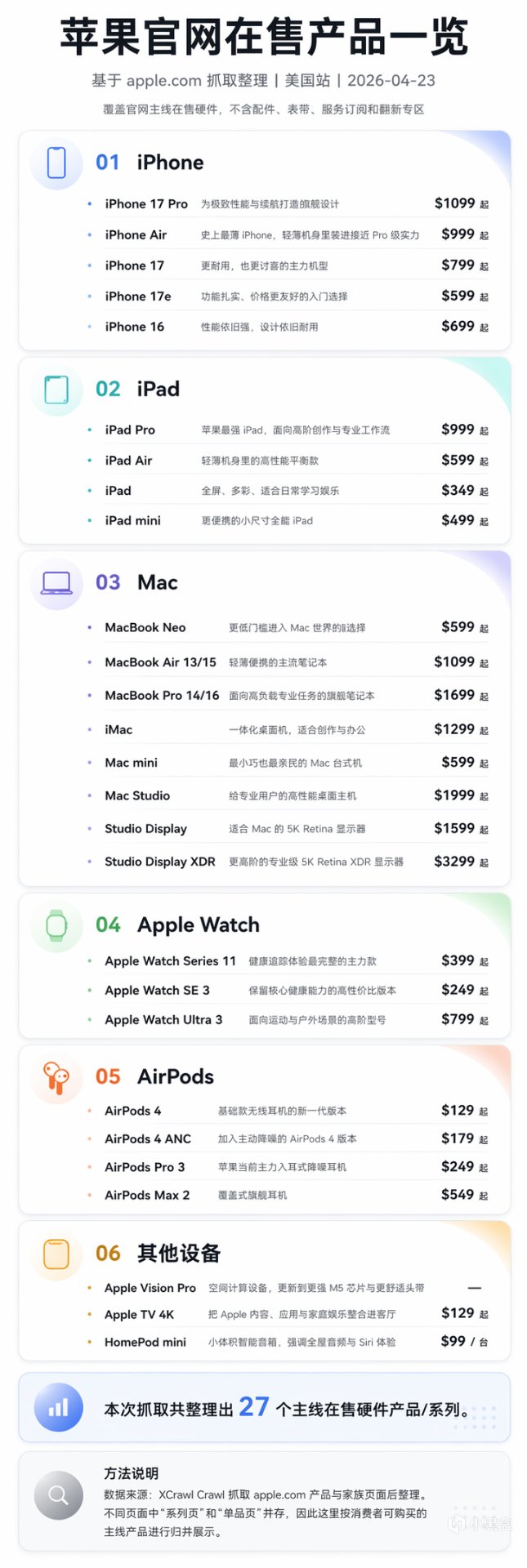
用 Codex + xcrawl 抓取網站,再用 Image 2 生成圖,這也太強大好用了。
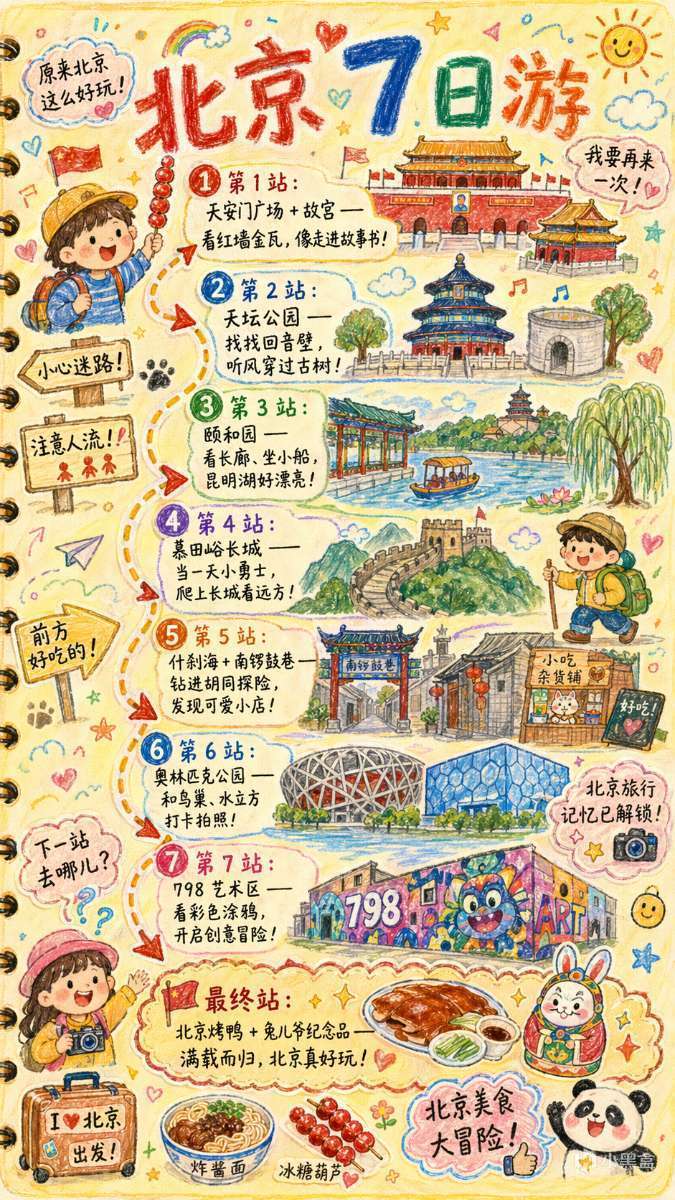
GPT Image 2 Prompt:手繪風格的《{城市名}旅行手賬插畫》
請繪製一張色彩鮮豔、豎版(9:16)手繪風格的《{城市名}旅行手賬插畫》,畫風彷彿由一位充滿好奇心的孩子用蠟筆創作,整體使用柔和溫暖的淺色背景(如淺黃色),搭配紅色、藍色、綠色等明亮色調,營造溫馨、童趣、滿滿旅行氣息的氛圍。
一、主畫面:手賬式旅行路線
在插畫中央繪製一條“蜿蜒曲折的旅行路線”,路線用箭頭 + 虛線連接多個地點,由 {天數} 日行程自動生成推薦景點:
示例格式(自動替換爲{城市名}相關):
- “第 1 站:{景點 1 推薦 + 簡短趣味描述}”
- “第 2 站:{景點 2 推薦 + 簡短趣味描述}”
- “第 3 站:{景點 3 推薦 + 簡短趣味描述}”
- …
- “最終站:{當地招牌美食/紀念品 + 溫馨結束語}”
> 旅程站點數量隨天數自動生成:
> 若用戶未輸入天數,則按默認 1 日 / 精華線路生成。
--- 二、周圍趣味元素(全部根據城市自動替換)
在路線周圍加入大量充滿童趣的小元素,例如:
- 可愛的旅行角色:
“拿着當地特色小喫的小朋友”、
“揹着旅行包的冒險小孩”等。
- 當地標誌性建築的童趣 Q 版手繪:
如 “{城市地標1}”、“{城市地標2}”、“{城市地標3}”。
- 有趣的提示牌:
“小心迷路!”、“注意人流!”、“前方好喫的!”(可根據城市語境調整)。
- 貼紙式小標語:
“{城市名}旅行記憶已解鎖!”
“{城市名}美食大冒險!”
“下一站去哪兒?”
- 當地美食的可愛小圖標:
如 “{城市美食1}”、“{城市美食2}”、“{城市美食3}”。
- 感嘆句(保持童真風):
“原來{城市名}這麼好玩!”
“我要再來一次!”
--- 三、整體風格要求
- 手繪蠟筆風 / 兒童旅行日誌風格
- 色彩鮮豔、構圖飽滿但溫暖
- 強調旅行的歡樂與探索感
- 所有文字採用可愛的手寫字體
- 讓整個畫面像一本童趣滿滿的旅行手賬頁面 ---
“北京 7 日遊”
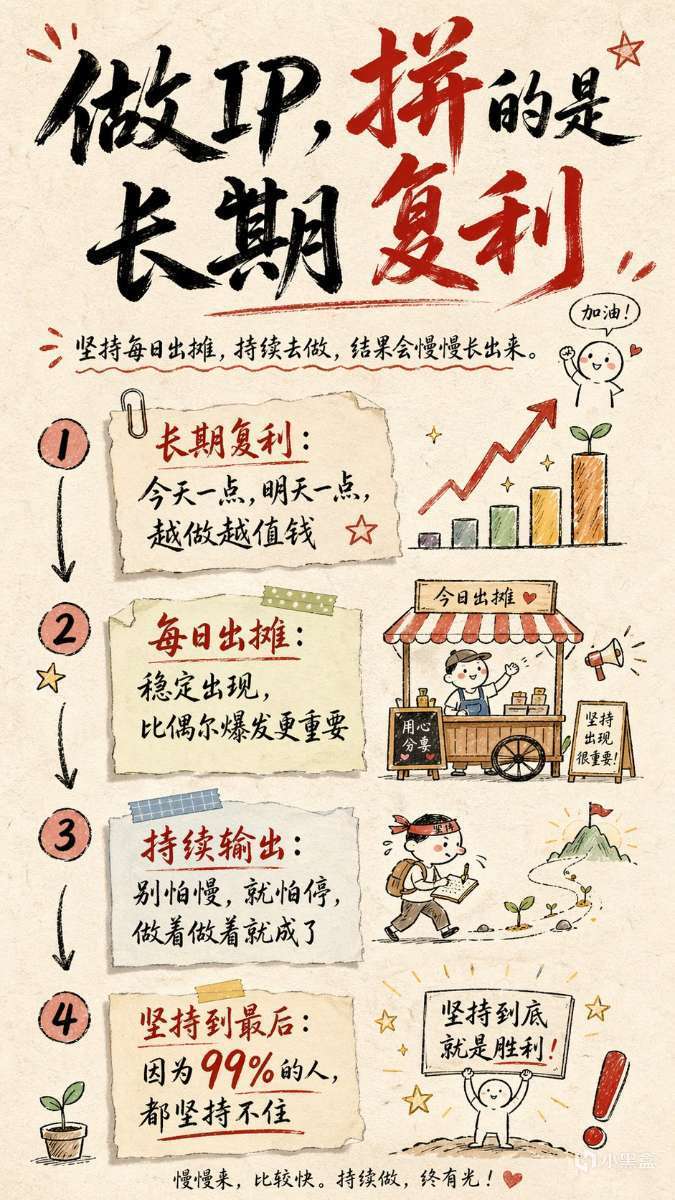
GPT Image 2 Prompt: 手繪風格的信息圖卡片提示詞(主題可以自由替換)
創作一張手繪風格的信息圖卡片,比例爲9:16豎版。卡片主題鮮明,背景爲帶有紙質肌理的米色或米白色,整體設計體現質樸、親切的手繪美感。
卡片上方以紅黑相間、對比鮮明的大號毛筆草書字體突出標題,吸引視覺焦點。文字內容均採用中文草書,整體佈局分爲2至4個清晰的小節,每節以簡短、精煉的中文短語表達核心要點。字體保持草書流暢的韻律感,既清晰可讀又富有藝術氣息。
卡片中點綴簡單、有趣的手繪插畫或圖標,例如人物或象徵符號,以增強視覺吸引力,引發讀者思考與共鳴。整體佈局注意視覺平衡,預留足夠的空白空間,確保畫面簡潔明瞭,易於閱讀和理解。
主題是:“做IP是長期複利,堅持每日出攤,持續做,肯定會有結果,因爲99%都堅持不住的。”
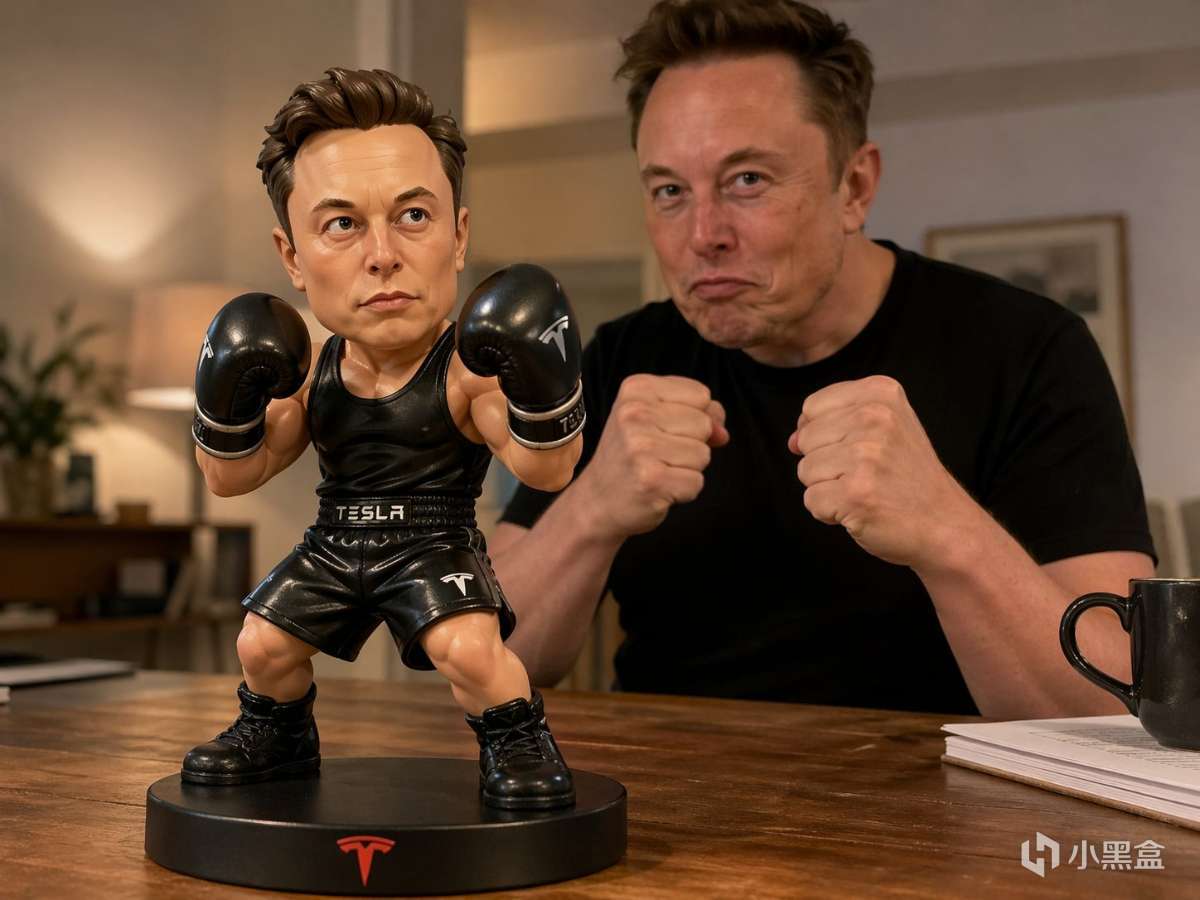
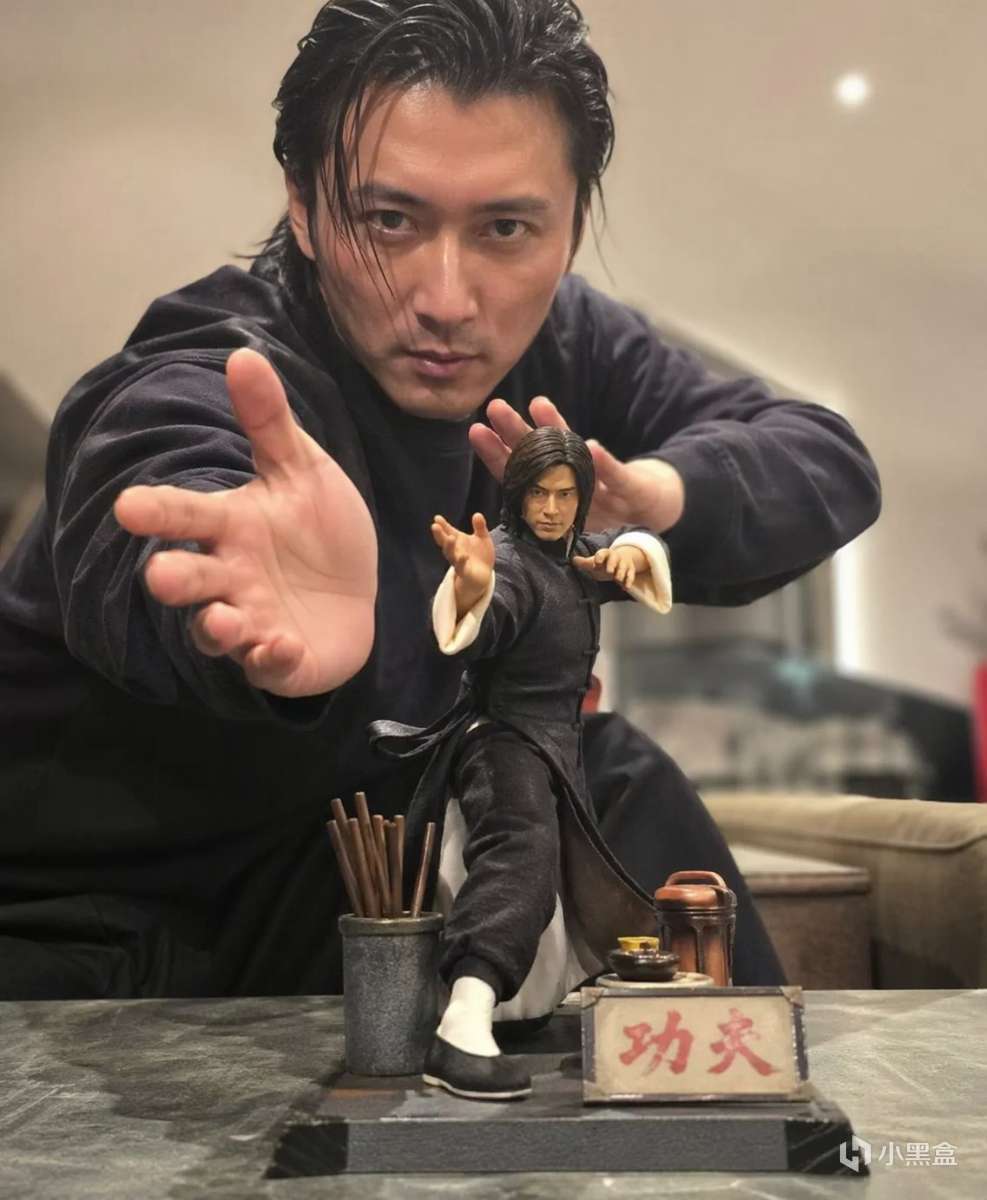
GPT Image 2 Prompt:真人動漫
以手機隨手拍攝的日常風格,桌面上擺放着一款 【成龍】【功夫】 動漫手辦,動作誇張帥氣,裝備齊全。
同時,真實世界的對應人物也出現在鏡頭中,與手辦擺出相似的姿勢,形成手辦與真實人物同框的有趣對比效果。畫面背景模糊、淺淡柔和,強調主角清晰突出,整體構圖和諧自然,傳遞溫暖且富有生活氣息的視覺體驗。
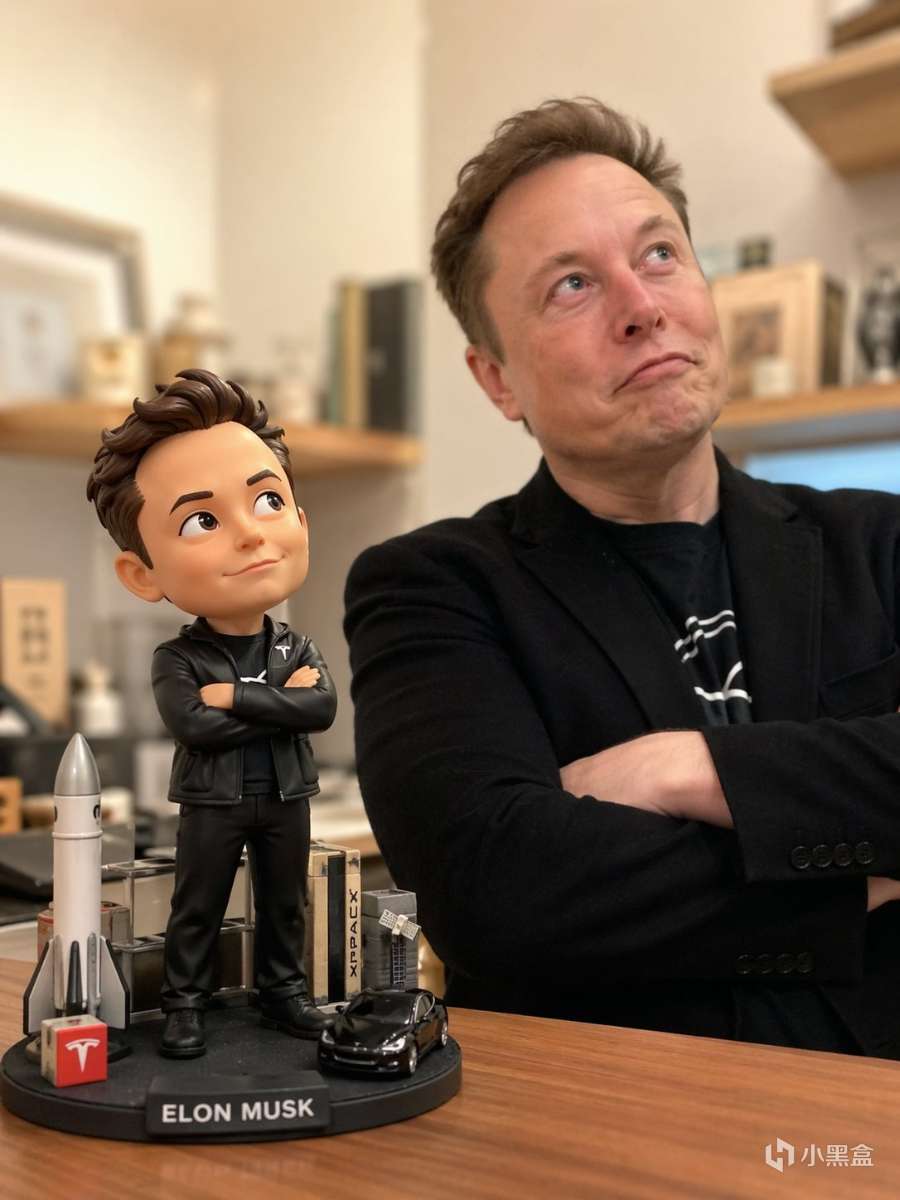
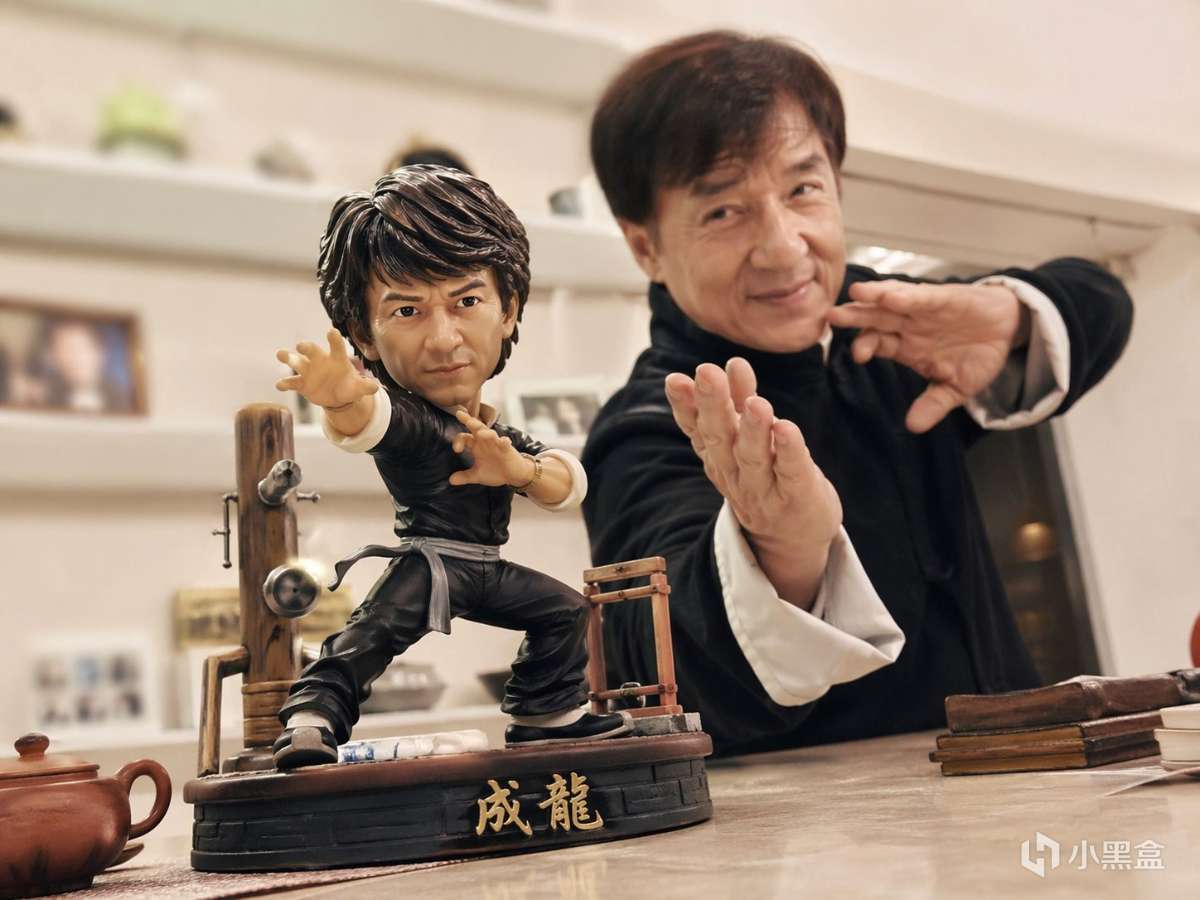
3.4 13組可直接複製的實測英文提示詞(來自@寶玉xp)
GPT Image 2 Prompt:
Delicate Japanese-inspired art of two blue and teal cranes flying among oversized pink chrysanthemums and indigo foliage. Background of soft gradients fading into a pale sun. Elegant gold outlines, pastel gradients, and serene, traditional composition. Perfect for luxury or cultural prints.
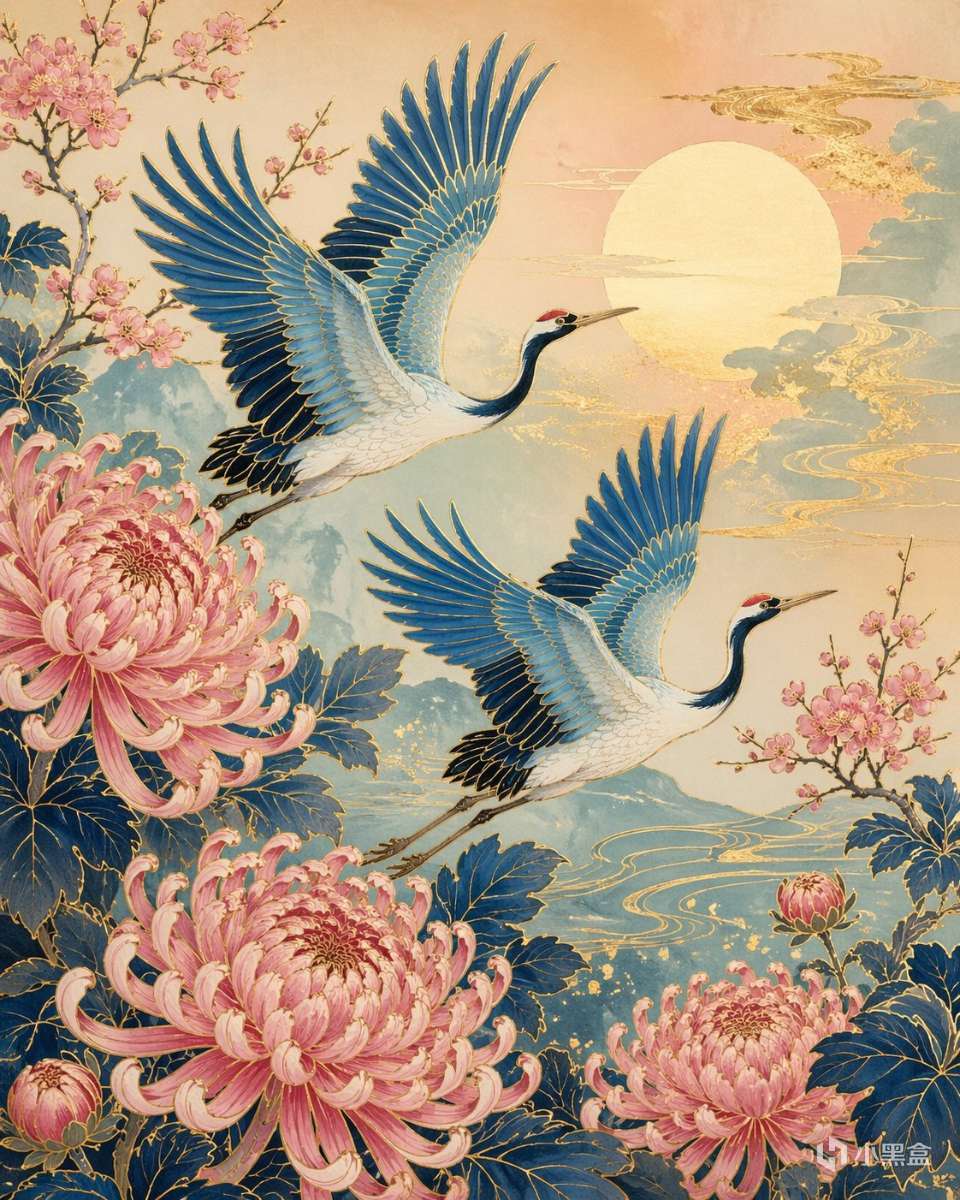
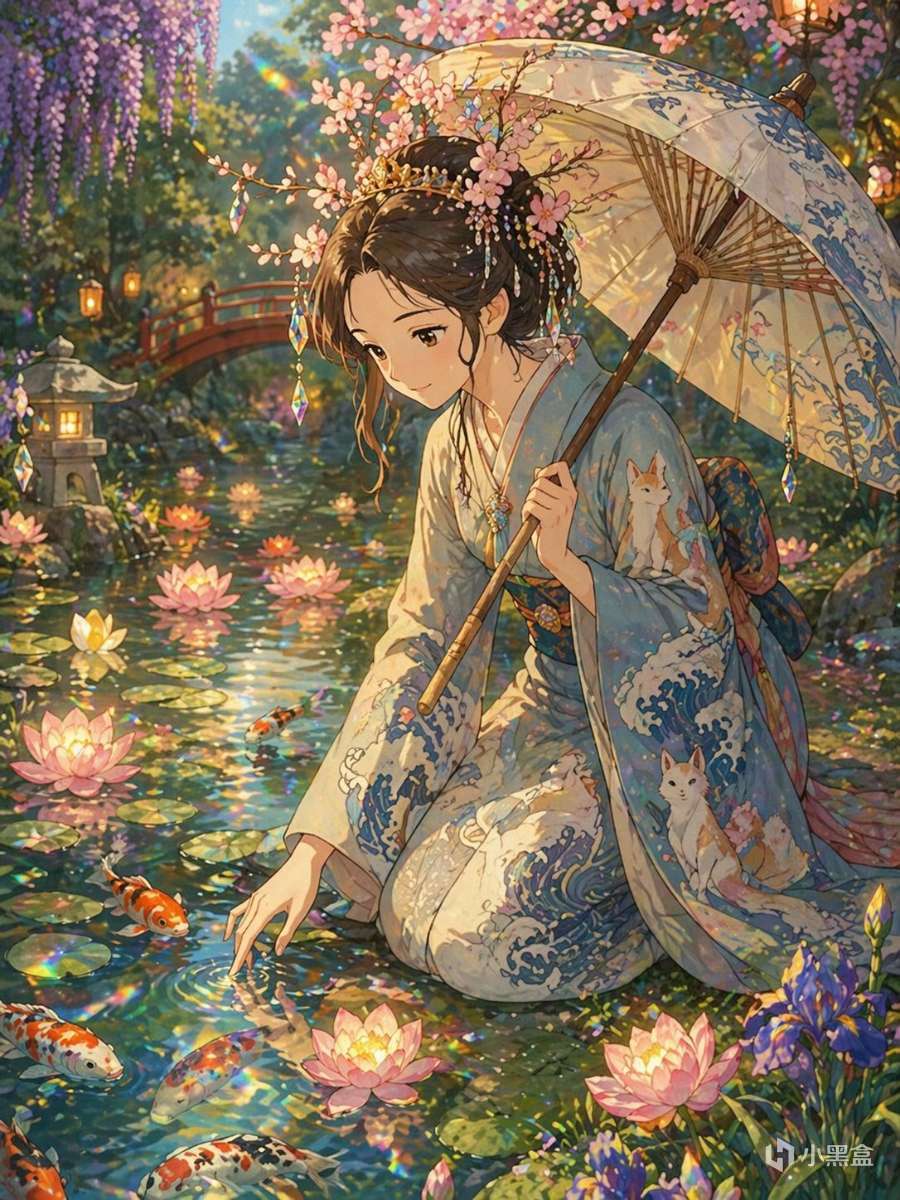
GPT 2 Image Prompt:
Detailed Ghibli-style portrait of a princess kneeling beside a koi pond brimming with glowing lotus blossoms. She wears a soft blue and cream kimono embroidered with swirling waves and fox spirits. A delicate paper parasol rests against her shoulder, and her hair is crowned with cherry blossom branches threaded with tiny rainbow prisms that scatter gentle light onto the water’s surface.
GPT Image 2 Prompt:
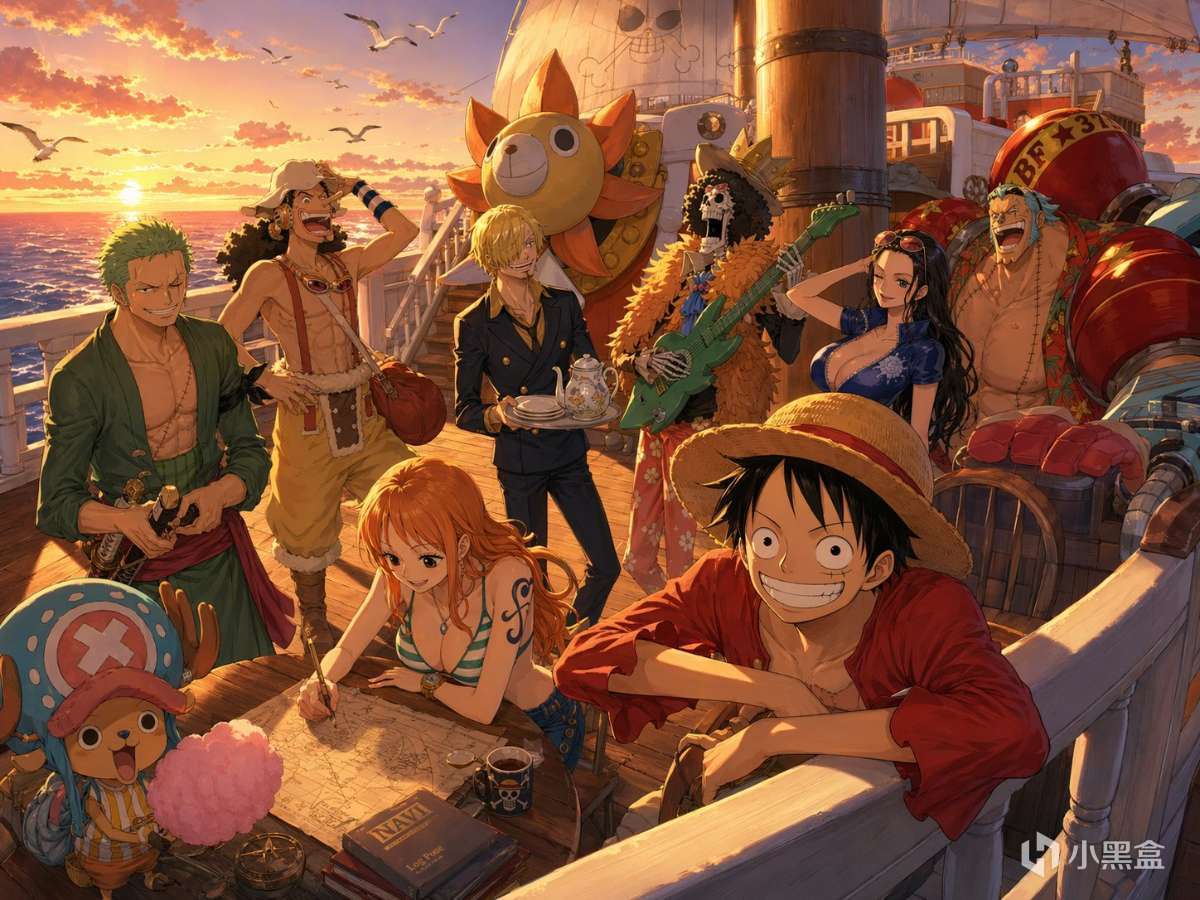
the Straw Hat crew gathered on the deck of the Thousand Sunny at golden hour, each character mid-laugh, in motion, or relaxing. Luffy leans over the rail with a grin, Nami charts something on the table, and Chopper clutches a cotton candy stick. The ship’s polished wood glows under warm sunlight, and distant seabirds fly across a coral-tinted horizon.
GPT Image 2 Prompt:
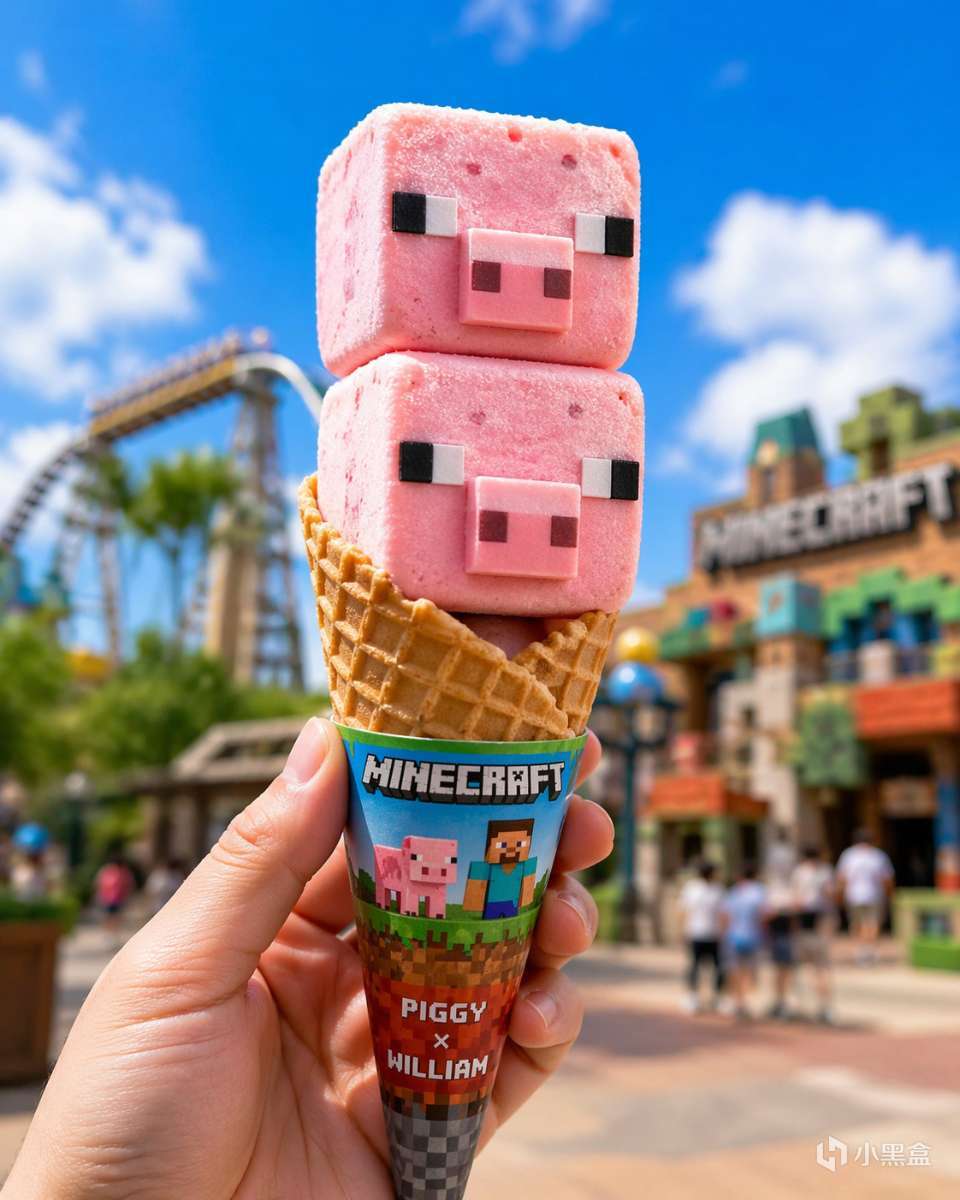
William and Piggy shaped ice cream, pink square ice cream with pixel eyes and pig noses, strawberry flavor, served on a cone, cute food design.
Egg Cone: A standard waffle cone, golden and crispy in color, with a “Minecraft” co-branded paper sleeve. The background is an outdoor theme park scene with a blue sky, white clouds, and brightly colored rides and buildings blurring into the background.
The hand of the person holding the ice cream is clear, enhancing the realism of the “hands-on experience”. The overall style is bright, fun and playful, making it an eye-catching IP co-branded summer ice cream
GPT Image 2 Prompt:
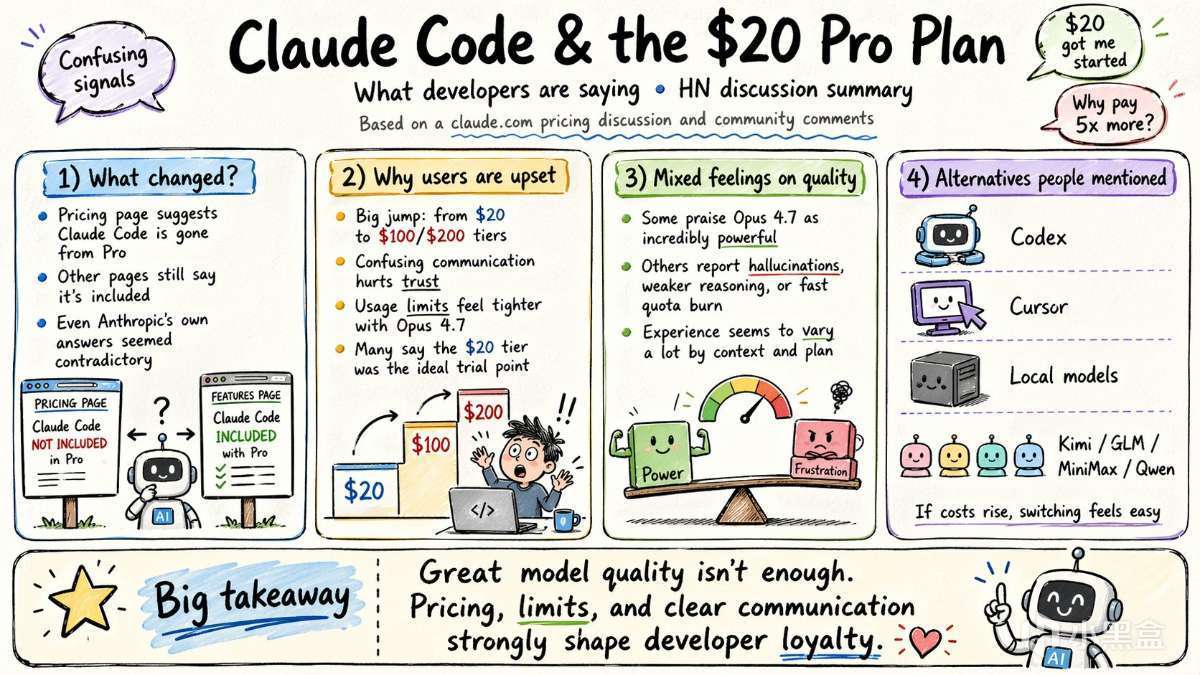
Please create a cartoon-style infographic based on the provided content, following these guidelines:
- Hand-drawn illustration style, landscape orientation (16:9 aspect ratio).
- Include a small number of simple cartoon elements, icons, or famous personalities to enhance visual interest and memorability.
- If the content includes sensitive or copyrighted figures, replace them with visually similar alternatives; do not refuse to generate the illustration.
- All imagery and text must strictly adhere to a hand-drawn style; avoid realistic visual elements.
- Keep information concise, highlighting keywords and core concepts. Utilize ample whitespace to clearly emphasize key points.
- Unless otherwise specified, use the same language as the provided content.
Please create the illustration based on the input provided.
GPT Image 2 Prompt:
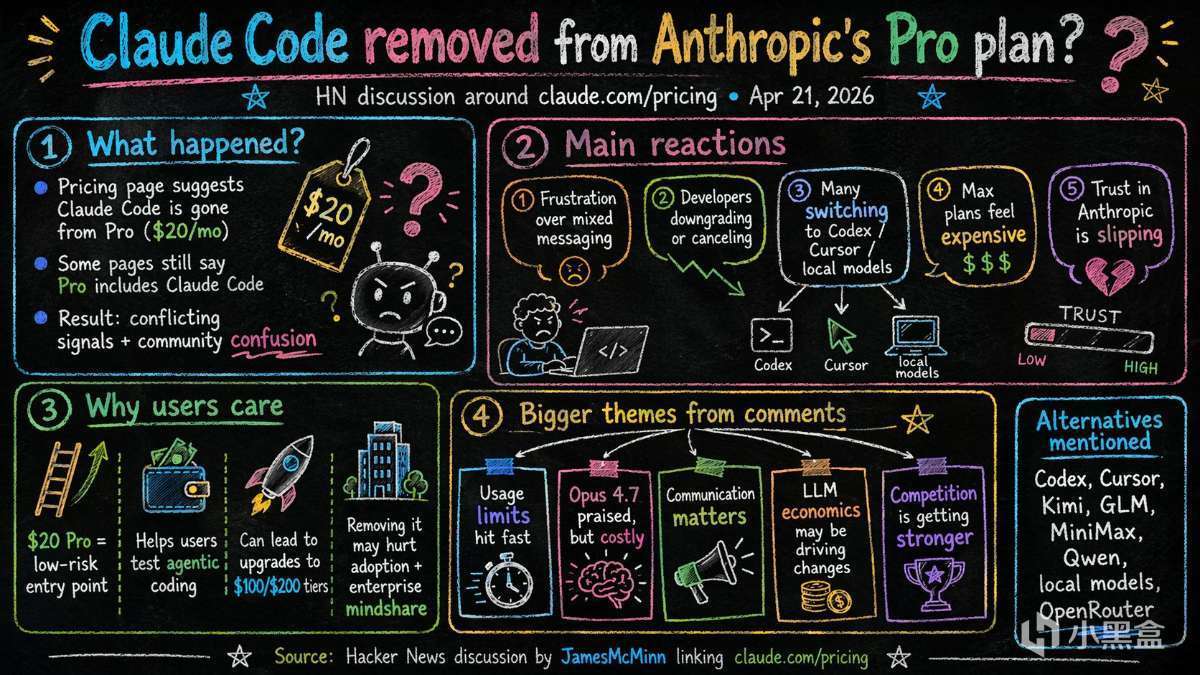
Please create an infographic based on the input content, highlighting key themes and essential points:
- Simplify information, emphasizing keywords and core concepts, leaving ample whitespace for clarity.
- Include minimalistic cartoon elements, icons, or simple portraits of famous figures to enhance engagement and visual recall.
- All text and images should strictly use colored chalk style without realistic illustrations.
- Unless specifically requested, maintain the original language of the input content.
- Use a horizontal layout (16:9) with a black chalkboard background and colorful chalk drawing style.
Please create the illustration based on the input provided.
GPT Image 2 Prompt:
Create an "Out the Window" meme-style four-panel comic titled "How to Improve Development Efficiency with AI? 如何藉助 AI 提升開發效率?", featuring dialogues in speech bubbles.
--ar 9:16
Characters:
- Boss: Asian male wearing a suit, with neatly parted hair.
- Employee Xiaoming: Male, wearing a blue checkered shirt.
- Employee Xiaohong: Female.
- Employee Xiaohu: Female, Asian, straight bangs hairstyle, wearing red-framed glasses.
Panel Descriptions:
- Top panel (single wide panel):
The boss asks during a meeting: "How can we use AI to improve development efficiency? 我們要如何藉助 AI 提升開發效率?"
Three employees sit listening.
- Second panel (single wide panel):
Each employee responds individually:
- Xiaoming: "We use AI to write unit tests. 我們用 AI 寫單元測試"
- Xiaohong: "We use AI for code reviews. 我們用 AI 做代碼審查"
- Xiaohu: “Vibe Coding。”
- Third row (two panels):
- Left panel: The boss looks furious.
- Right panel: Employee Xiaohu is humorously kicked out of a high-rise window.

GPT Image 2 Prompt:
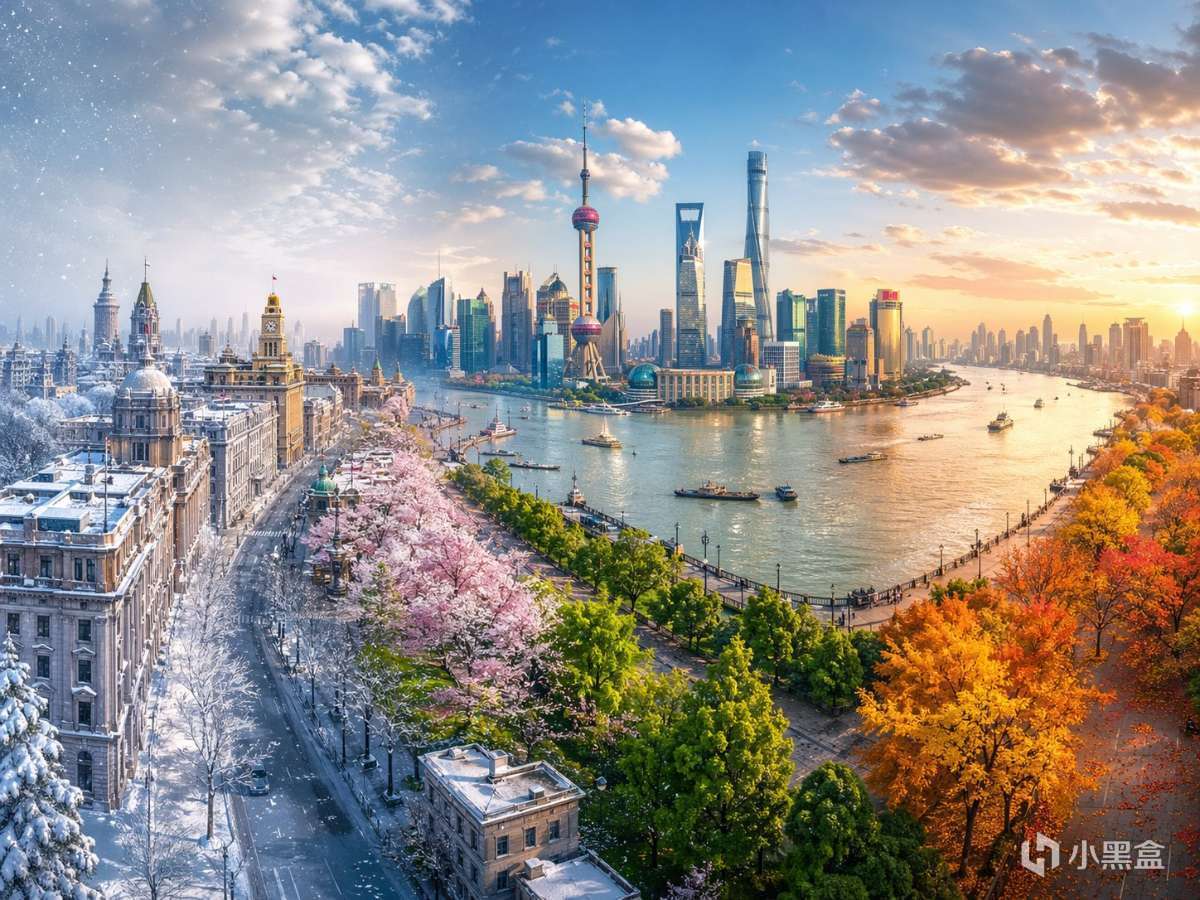
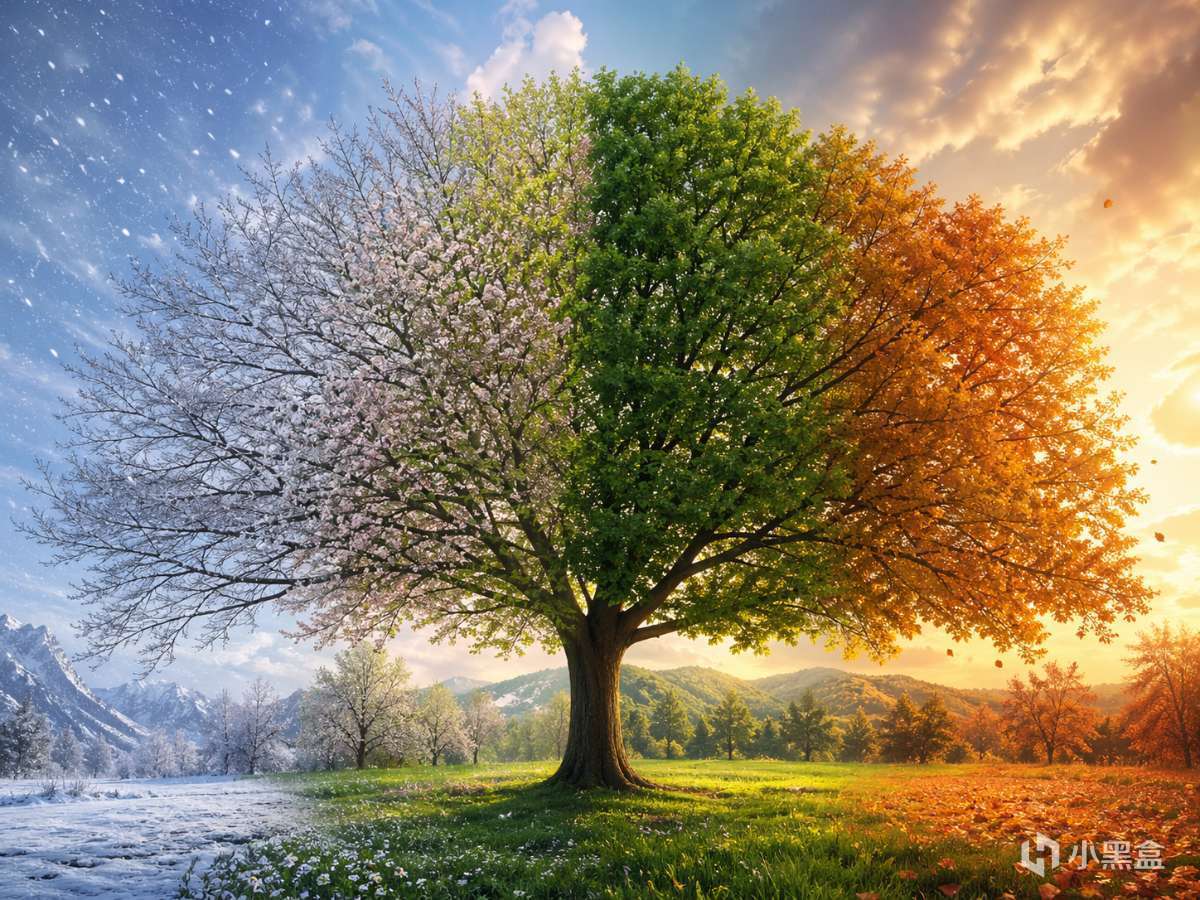
Hyper-realistic digital illustration of {Scene}, presented as a single continuous composition showcasing the cycle of seasons. The scene flows seamlessly from left to right in a natural progression: Winter, Spring, Summer, and Autumn.
The left side features cold snowy winter elements, gradually thawing into the fresh green buds and blooms of spring, then morphing into the lush vibrant vegetation and bright sunlight of summer, and finally transitioning into the golden, orange, and red hues of autumn on the far right.
There are no visible dividing lines between seasons; the weather, lighting, and vegetation blend smoothly to create a unified and harmonious panorama. Rich in detail, symbolic of the passage of time, cinematic lighting, 8k resolution, highly detailed textures. --ar 4:3
Scene:the historic Shanghai Bund waterfront looking across the Huangpu River to the futuristic Lujiazui district
GPT Image 2 Prompt:
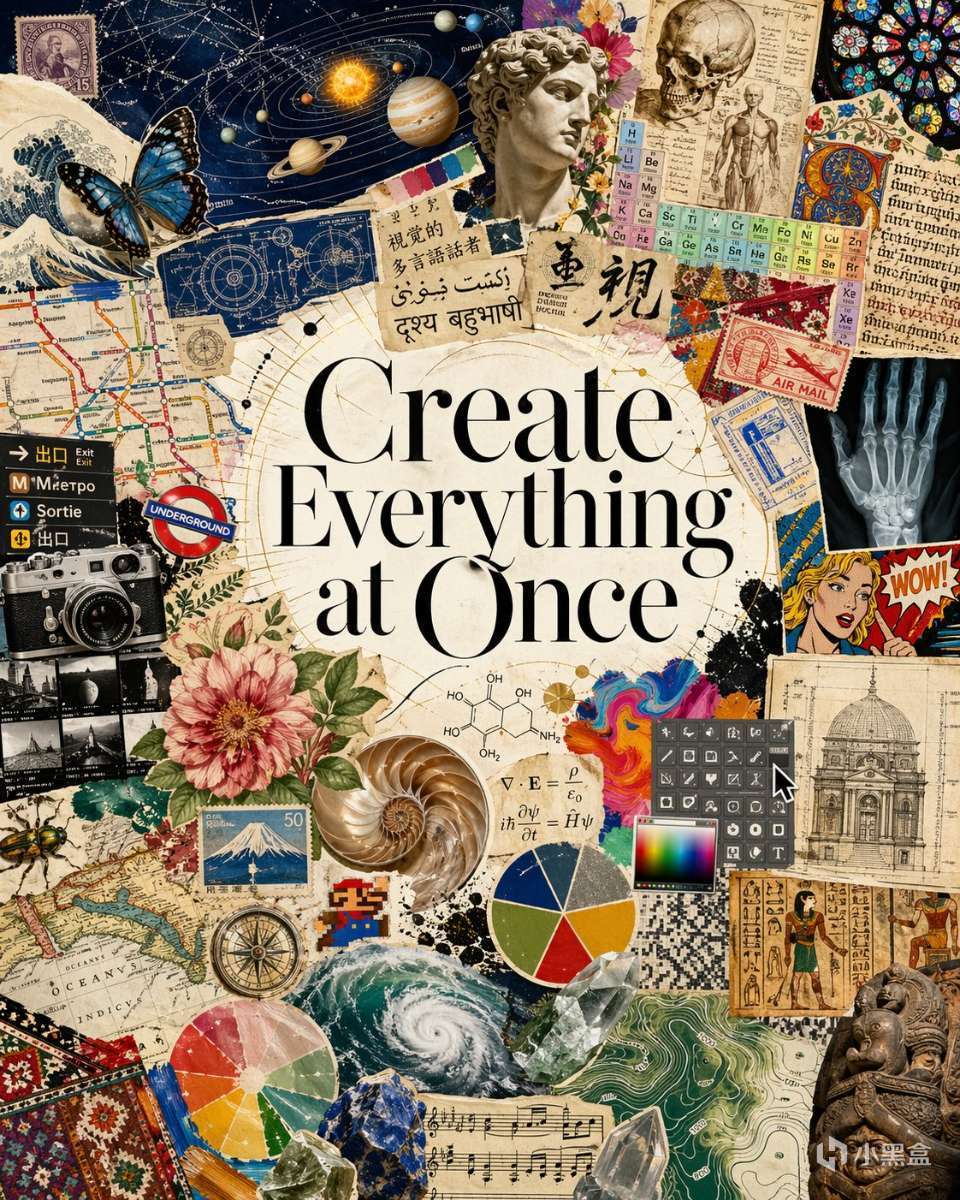
I am creating a magazine page with the theme of "visual polyglot".
The title in the center of the image should be "Create Everything at Once".
Create a piece of art celebrating visual creations, not limited to beautiful photographs but also across the full breadth of human visual culture and natural visual elements.
There should be curated collage representing the diverse distribution: scientific diagrams, the periodic table, the solar system, medieval manuscript pages, botanical illustrations, anatomical drawings, old maps, climate charts, engineering schematics, transit signage, multilingual text, comic panels, UI screenshots, a camera photo, a butterfly specimen, pie charts, architectural blueprints, and façade drawings.
The text frames the model as fluent across languages, notation systems, interfaces, cultural forms, and visual conventions—able to move from utility to beauty, from document understanding to artistic generation. Also feature artistic elements like pixel art, styles, history, sculpture, nature, photography, paintings, and all art forms.
These are just examples, I need you to actively think about other elements / styles that may fit in a good design that's not limited to these concepts. The overall effect is that of a premium research announcement or museum-style manifesto: elegant, ambitious, and designed to argue that image intelligence should be trained on the whole visual world, not just polished aesthetics.
Use an unstructured, creative and artistic layout, such as but not limited to fan out, avoid grid-like layouts. Portrait 4:5 aspect ratio. Don't add any content text beside the "Create Everything at Once" title. Text as part of the art is okay.
Avoid a beige tint of the overall style, since we want vibrant elements to be vibrant.
GPT Image 2 Prompt:
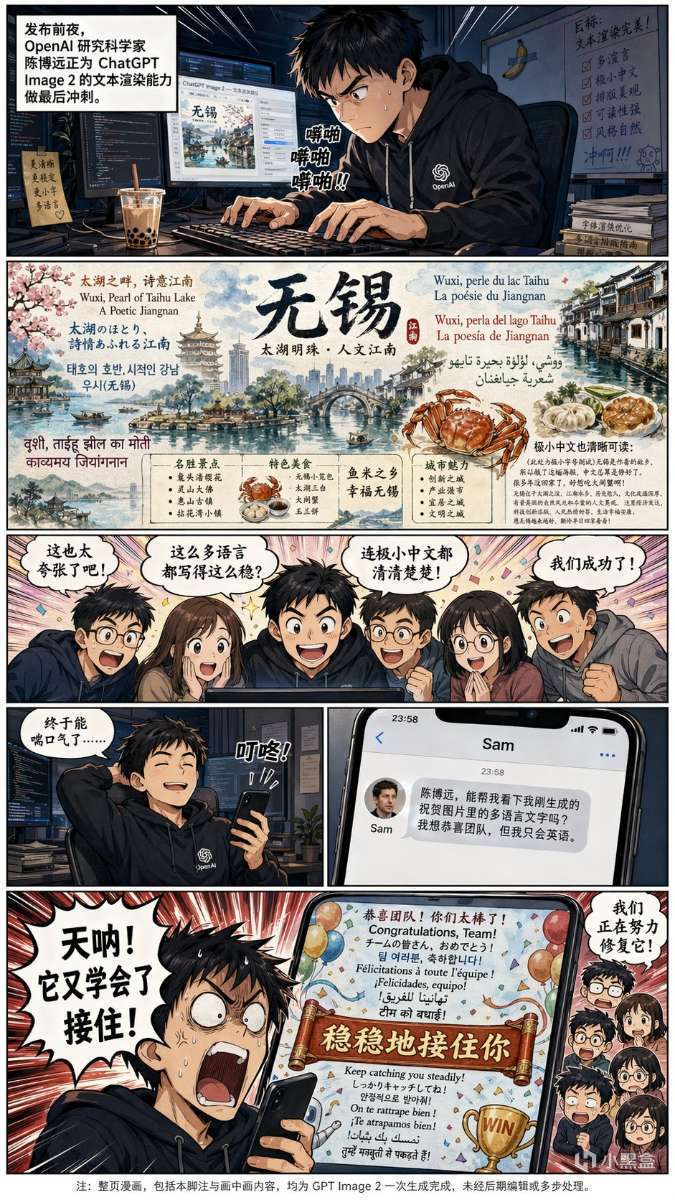
Generate a full color Chinese-text manga about this OpenAI 研究科學家, 陳博遠 (first picture), who works on improving the text rendering capability of ChatGPT Image 2 model for the upcoming release. (in the background there is boba tea and a banana taped to the wall with a single slice of duct tape). The model can render insanely small Chinese text when he tried generating some detailed and beautiful multilingual infographics handdrawn-style poster about his hometown, 無錫 on his computer screen. His hard work pays off and the team was impressed by the absurdly good quality of multilingual text performance of his model, seeing all the languages it can write. When he takes a break with one hand holding his phone, he received a translated text message from Sam Altman on his phone (avatar attached as second picture), asking him to take a look at the rendered multilingual text in an image he just generated to congrat the team, since Sam only knows English. However, make it funny by let Boyuan outrage (typical manga style) at the end by seeing Sam's generated image contains a "穩穩地接住你" phrase at the central location in an otherwise perfectly rendered image that's used to congrat the team, because this sentence has been memed as an unnatural but funny Chinese sentence GPT likes to use on Chinese internet. Boyuan should rage "天吶! 它又學會了接住!" (with teammates as tiny heads on the side, sweating and saying in Chinese"we are working hard to fix it!"). At the very bottom of the manga, add a tiny line of footnote (very tiny)in Chinese that "note: the entire manga, including this footnote and picture in picture, are all generated with gpt image 2 at once without editing or multiple steps。"
Additional Instructions: Use vertical 1440x2560 image layout, with first row about this researcher working hard, second row about his result on 無錫 with multiple languages, third row shows the team excitement, fourth row split into left and right where left shows he takes a break and the phone received a message, right panel shows Sam's text message, and fifth row shows Sam's picture and 陳博遠's reaction. No narration except for the first row. Avoid Chinese map. All characters should be in manga style. The banana background should only appear in the first panel and the tape should be a single slice of tape, not a cross tape. The banana and tape decoration should be small as a insignificant easter egg for people to find. OpenAI logo shall only appear on 陳博遠's cloth, not elsewhere. No mugs in the scene since we already have the boba. Sam should only appear in the text message panel. The entire manga should be appear as a professional photo of a physical page in a manga book. In the lower right most corner of the poster there is a small “極小中文也清晰可讀:” with a paragraph of much smaller Chinese that begins with “(此處爲極小字號測試)無錫是作者的故鄉,所以做了這幅海報,中文總算是修好了。很多年沒回家了,好想喫大閘蟹啊!” (ultra small).
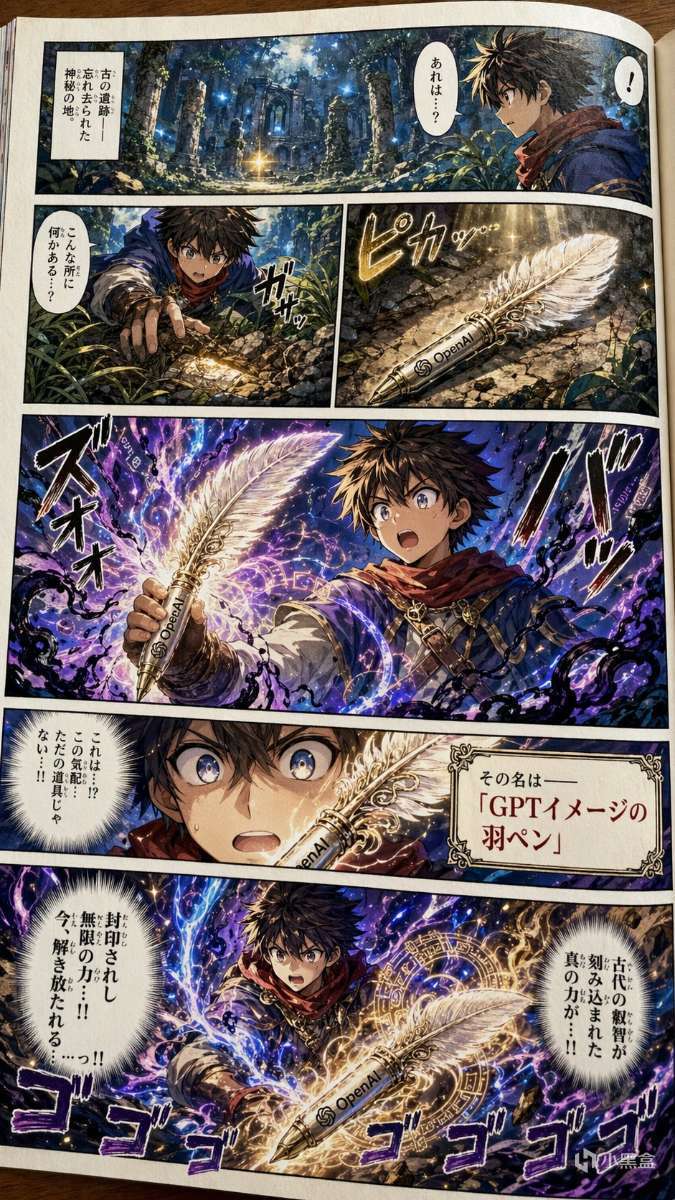
GPT Image 2 Prompt:
Make a sample page of a colorized Japanese shonen adventure manga. The page should vividly depict our main character found a magical quill. The name of the quill is called the Quill of GPT Image. Make it dramatic. The magical quill has strong power sealed inside it.
Additional instructions: Aspect ratio: Portrait 1440x2560. The pen should have an OpenAI logo on it. The language throughout the manga should be Japanese. Think carefully first to make this a good story with good split of manga panels. The page should appear as a photo of a physical page, not a digital page.
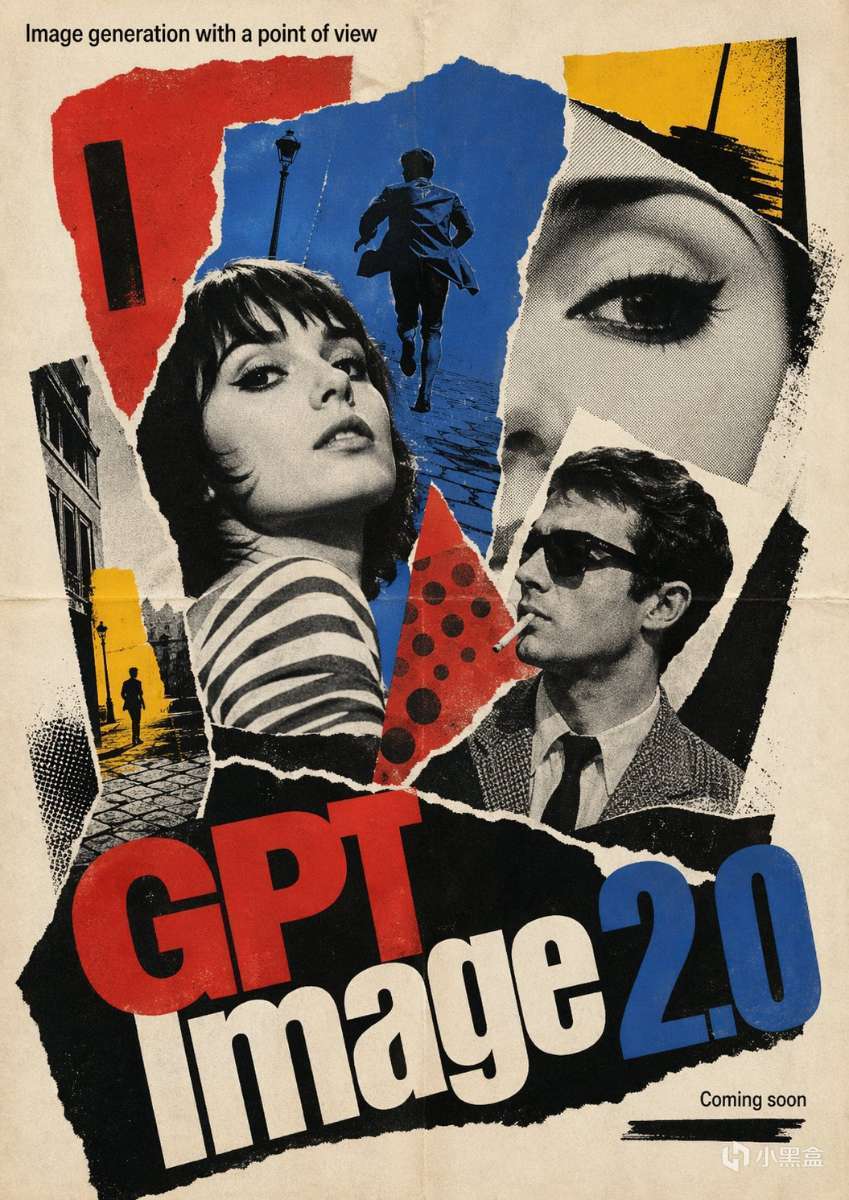
GPT Image 2 Prompt:
1960s French New Wave theatrical poster, bold photomontage composition, torn-paper collage sensibility, pop-art color bursts, high-contrast black-and-white imagery with selective red blue and yellow accents, hand-made offset-print texture, slightly off-register ink, expressive asymmetry, art-house poster cool, graphic spontaneity, street-poster energy, adventurous typography-led design.
Poster text:
- Large title at the bottom: "GPT Image 2.0"
- Smaller headline at the top: "Image generation with a point of view"
- Small footer text: "Coming soon"
Keep all visible text in English. Use a theatrical poster composition.
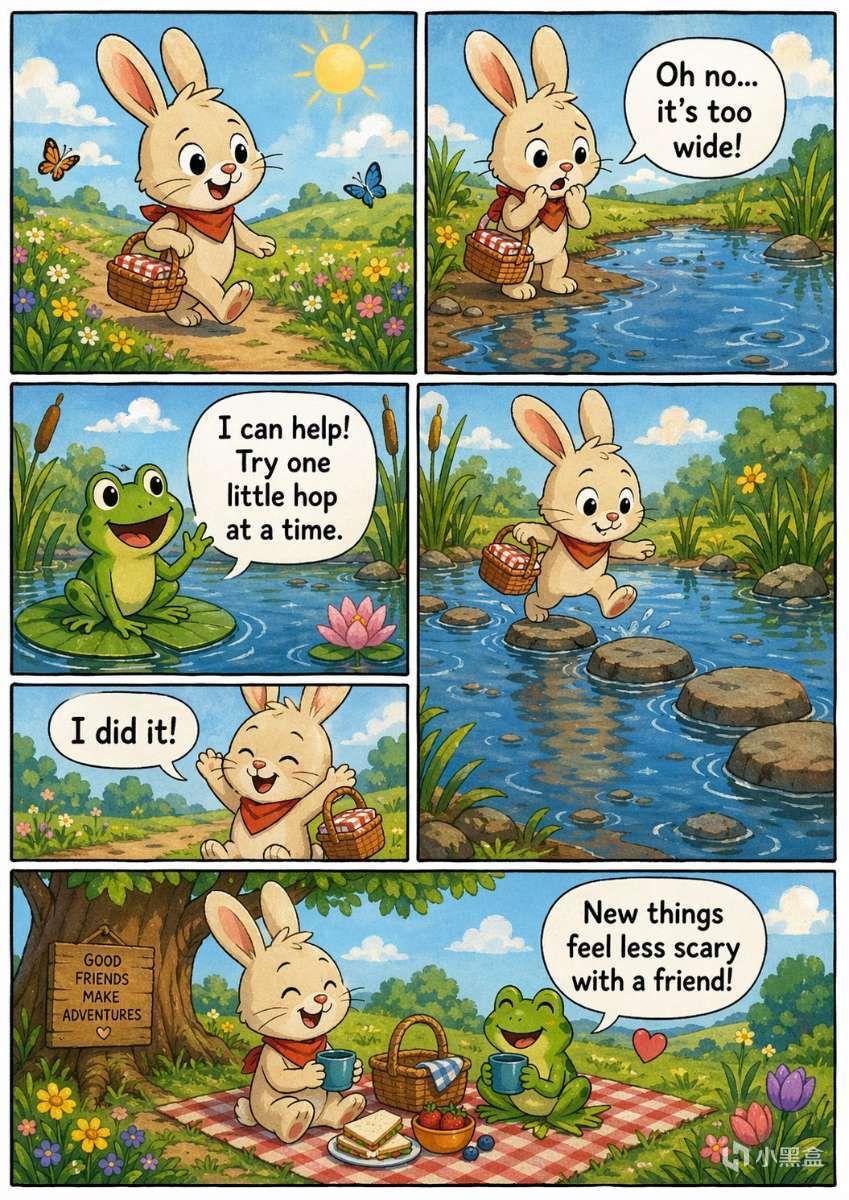
GPT Image 2 Prompt:
A page of a comic book in the style of modern indie comic topic:
a story for 6 years kids
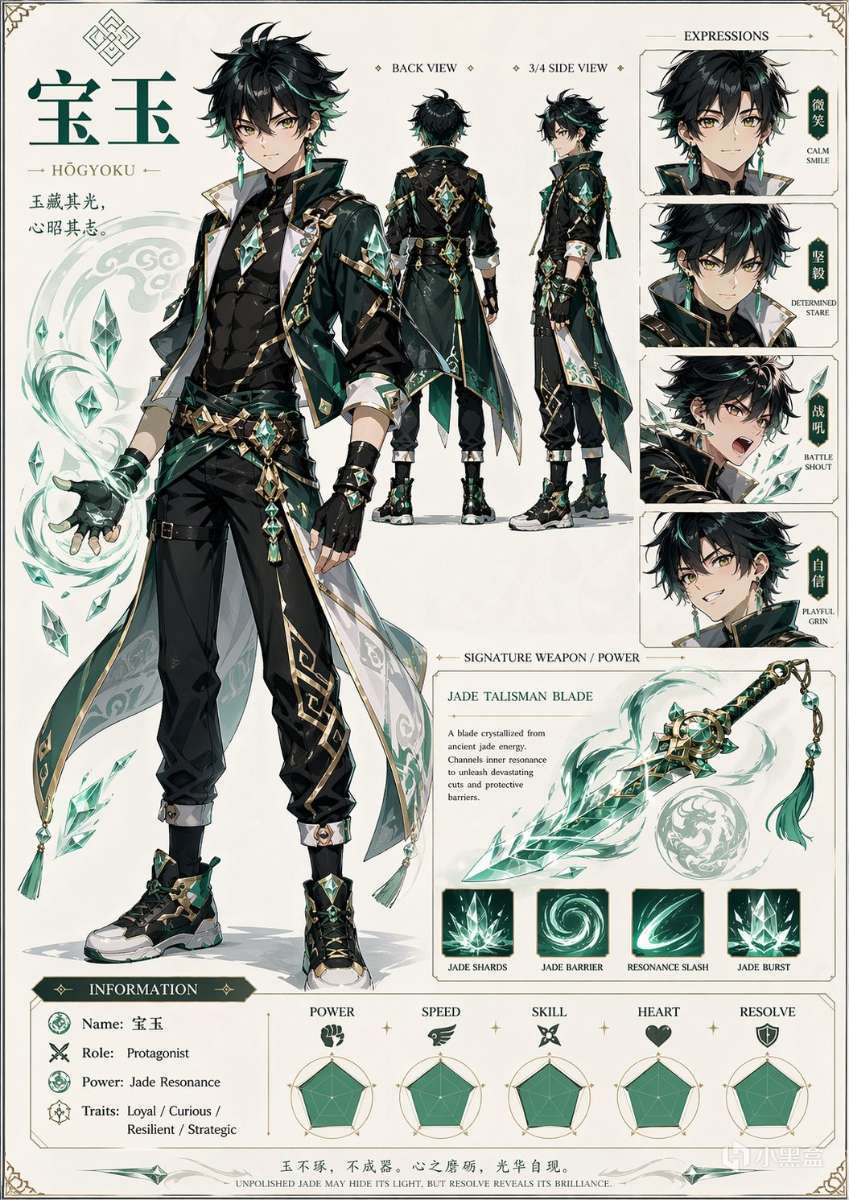
GPT Image 2 Prompt:
Based on everything you know about me, make a character sheet of shonen-style anime character of me, name is 寶玉
四、三大使用渠道,按需選擇更便捷
GPT-image-2提供多種使用渠道,覆蓋普通用戶、專業創作者和開發者,大家可根據自身需求選擇最便捷的方式。
4.1 ChatGPT網頁/APP(推薦普通用戶)
這是最便捷的使用方式,無需複雜操作,入口就是對話輸入框的「+」號→「創建圖片」。免費用戶可體驗基礎功能,Plus/Pro用戶可解鎖全部權限,適合大多數人日常使用。
4.2 API開發者調用(適合開發者)
開發者可通過API節點「gpt-image-2」直接調用模型,支持設置分辨率、畫質檔位等參數,可集成到自有系統、批量生成圖片,適配商業應用場景。
4.3 第三方平臺(補充選擇)
如果沒有ChatGPT賬號或API權限,可通過第三方平臺使用,目前Microsoft Foundry、Replicate、Fal.ai、Pollo AI等平臺已上線GPT-image-2,部分平臺還提供4K輸出和限時無限額度。
五、常見問題FAQ,避坑指南看這裏
整理了大家使用過程中最常遇到的5個問題,逐一解答,幫大家避開使用誤區,提升生圖效率。
Q1:免費用戶能使用GPT-image-2嗎?
可以。免費用戶默認支持GPT-image-2,但每日有額度限制(通常爲個位數),高峯期可能需要排隊,偶爾試玩完全夠用;如果需要高頻生圖,建議升級Plus/Pro。
Q2:生成的中文文字模糊、排版錯亂怎麼辦?
有三個解決技巧:① 把需要出現的文字用引號明確寫在提示詞中;② 指定字體風格(如宋體、黑體);③ 進入編輯面板,用“局部編輯”功能單獨優化文字區域。
Q3:生成失敗、提示額度超限怎麼處理?
常見三種原因及解決方法:① 觸發內容安全策略:更換描述詞,避免敏感內容;② 當日額度用盡:等待次日刷新,或升級Plus/Pro;③ 服務器高峯期:換個時段重試。
Q4:國內如何開通ChatGPT Plus,解鎖高額度?
國內用戶直接通過ChatGPT官網支付會遇到信用卡受限問題,推薦使用國內正規代充平臺,支持支付寶、微信支付,到賬快、續費穩定,無需繁瑣的海外支付流程,適合國內用戶升級。
Q5:生成的圖片可以商用嗎?
根據OpenAI最新服務條款,用戶擁有生成圖片的全部權益(包括商業使用權),可直接用於App開發、海報宣傳等商業場景。但需注意,避免提示詞模仿受版權保護的作品,商用前需自查原創性。
六、最佳實踐建議,高效利用GPT-image-2
不同用戶可根據自身需求,搭建專屬生圖工作流,最大化發揮GPT-image-2的作用:
小白用戶:用免費額度嚐鮮,簡單海報、朋友圈配圖、文章插圖,直接複製現成提示詞,一步生成。
專業創作者(設計師、運營):升級Plus/Pro,開啓Thinking模式,先讓AI拆解需求,再生成圖片,通過多輪局部編輯優化細節,大幅縮短創作工期。
職場人士:用GPT-image-2快速生成UI原型、會議流程圖、試卷、活動海報等,提升工作效率,減少重複勞動。
小貼士:OpenAI已宣佈,將於2026年5月12日正式停止DALL-E 2和DALL-E 3的服務,目前使用這兩款模型的用戶,建議儘快將工作流遷移至GPT-image-2,避免影響使用。
近期熱門
24.1k星標!口碑下載神器:支持接管瀏覽器|蘋果+安卓+Win全平臺
500T!迅雷放殺招@所有人!“光鴨雲盤”上線:不限速,2T→500T
網易爆米花4.22更新!新增直連 極空間文件源、4K+HDR流暢播放!
強烈推薦
看片自由!一個播放器搞定主流雲盤:原畫質播放,還能刮削海報牆
往期深受大家喜歡的熱門資源
這工具牛逼!別錯過,適用於考研、公考、長期備考重度學習愛好者
真敢!直接比拼Typora+Obsidian?輕量無干擾寫作工具橫空出世!
寶藏網站50|每一個都好用!這11個網站覆蓋學習工作生活全場景!
寶藏網站49|9個剛需電腦硬件檢測網站,無廣告無套路,純粹好用
20年更新史,封神!全世界打開最快、全格式通喫、終身免費閱讀器
真•知識寶藏!花叔出品,必屬佳作!精品橙皮書系列,玩法豐富!
還裝什麼NAS?手機、電腦、平板等平臺用這個工具直接打通看相冊
一些經典老課本的LaTex重製版:《北京四中高中教學講義 三角》等
真●懶人福利工具!只要一個空格鍵,秒預覽200+Windows文檔格式
15年收藏,吐血分享!AIMP1000+枚皮膚,113個關聯圖標,94個拓展
彪悍!雙源壁紙、智能去重、自動分類下載4K UHD規格超高清壁紙
太地獄了!這個“同事.skill”:將冰冷的離別化爲溫暖的Skill
這也行?懶人福利!才5M大小就能把任意網頁秒變輕量桌面App
我找到了一款超好用的跨平臺免費閱讀軟件,純淨閱讀,功能強大!
又高級又流行!國內外音樂軟件通喫,歌詞歌曲也能演繹得美美的!
推薦個好用的拓展:專治AI對話混亂!讓豆包Kimi聊天記錄井然有序
本地離線AI摳圖:髮絲級精準,證件照+格式轉換+圖片壓縮各種拿捏
性能覺醒!4.4K星標評價,Windows11Windows10 專屬系統優化工具
更多遊戲資訊請關註:電玩幫遊戲資訊專區
電玩幫圖文攻略 www.vgover.com